 How to configure Housekeepers:
Open the Housekeeper Maintenance screen:
Click the icon on the left for the Full Menu.
 OR
OR 
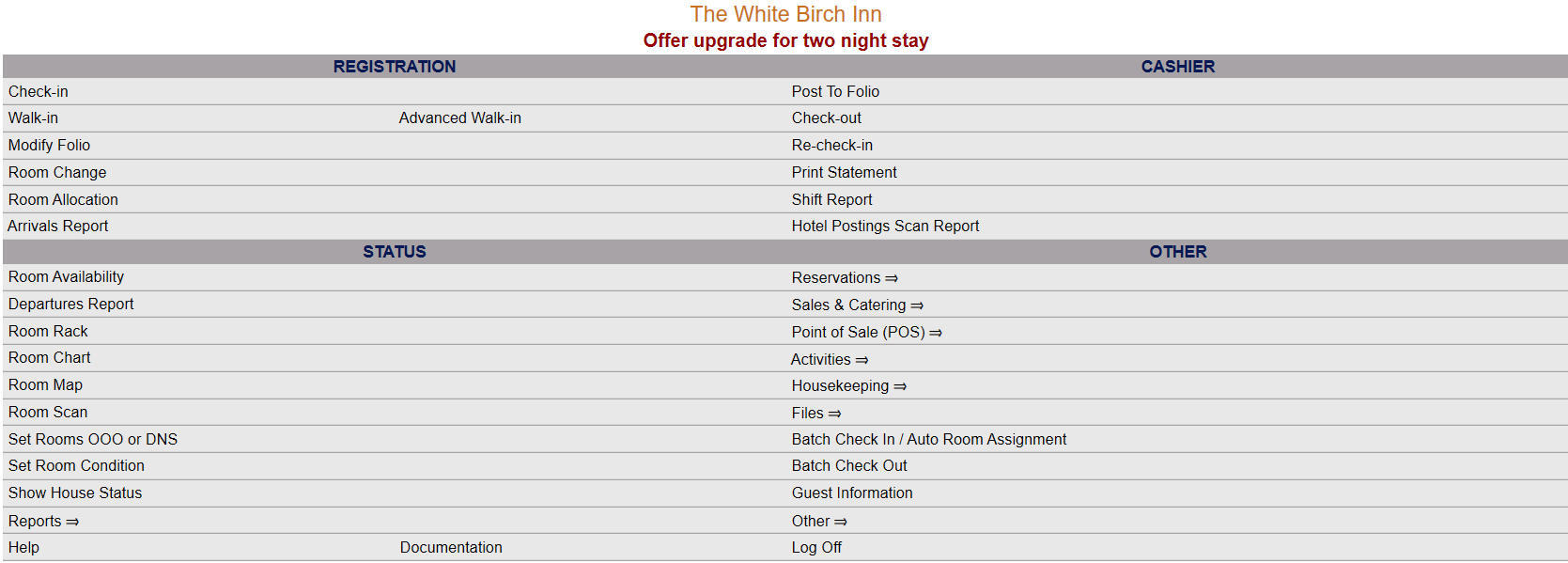
This will display the Full menu in a tabular form, with four sections, Registration, Status, Cashier and Other.
 OR
OR 
Select Other from the Other section.
 OR
OR 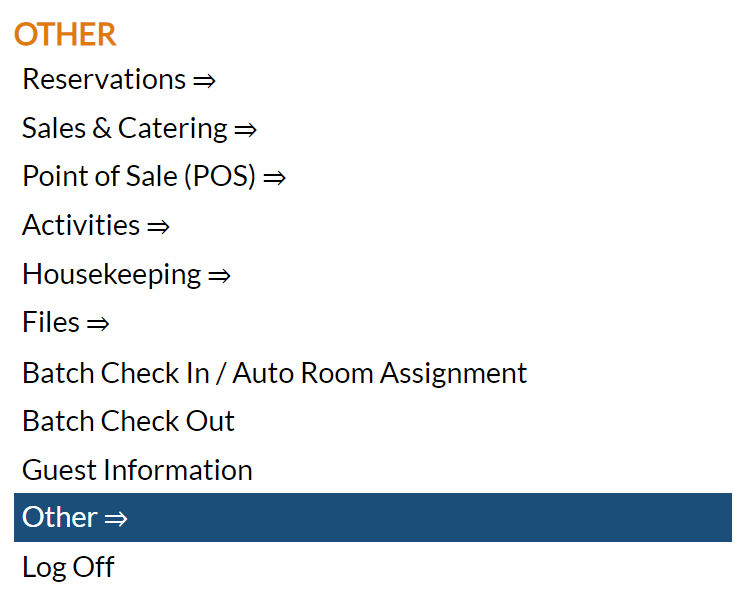
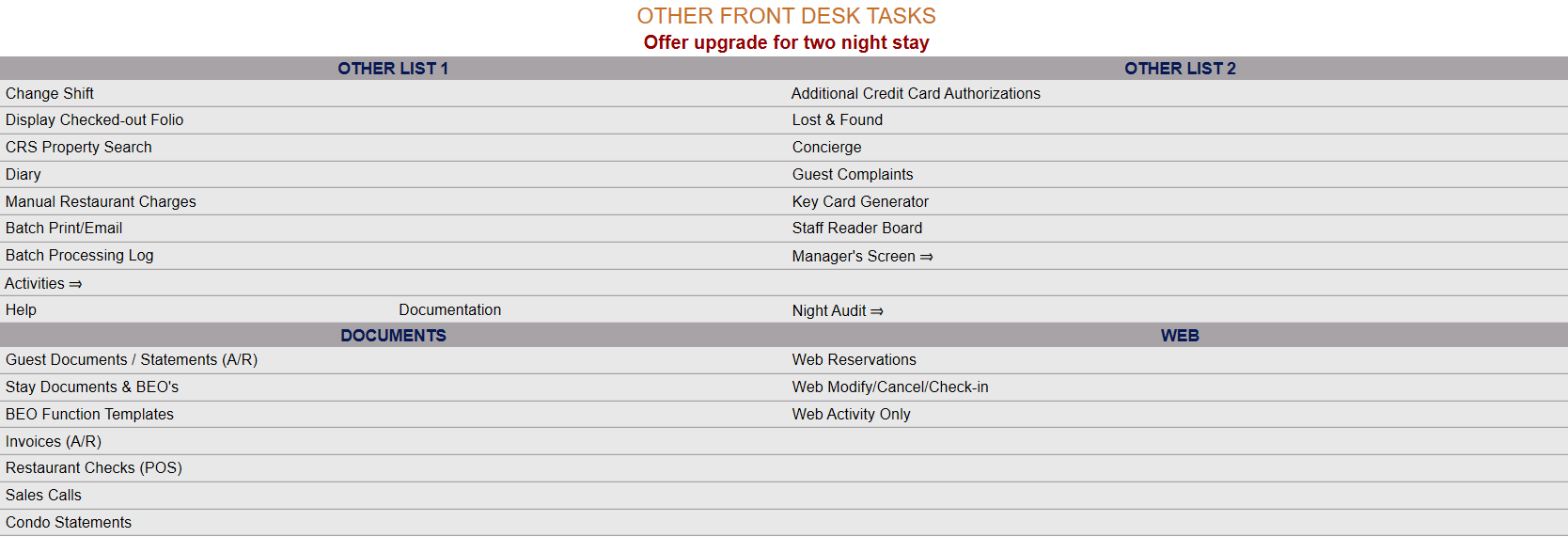
This will take you to the Other Front Desk Tasks Menu, which has four sections, Other List 1, Other List 2, Documents and Web.
 OR
OR 
Select Manager's Screen to be taken to the Manager's Command screen.
 OR
OR 
OR:
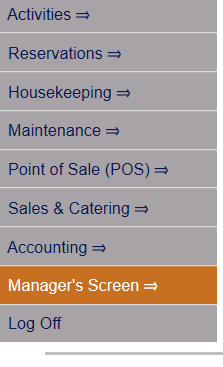
Select Manager's Screen from the Quick Menu on the left side of the screen, to be taken to the Manager's Command screen.
 OR
OR 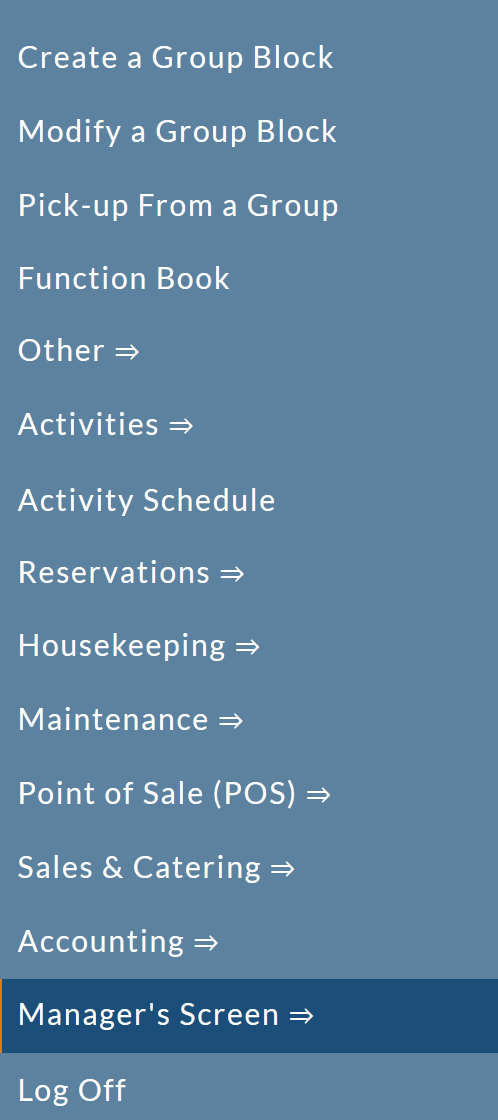
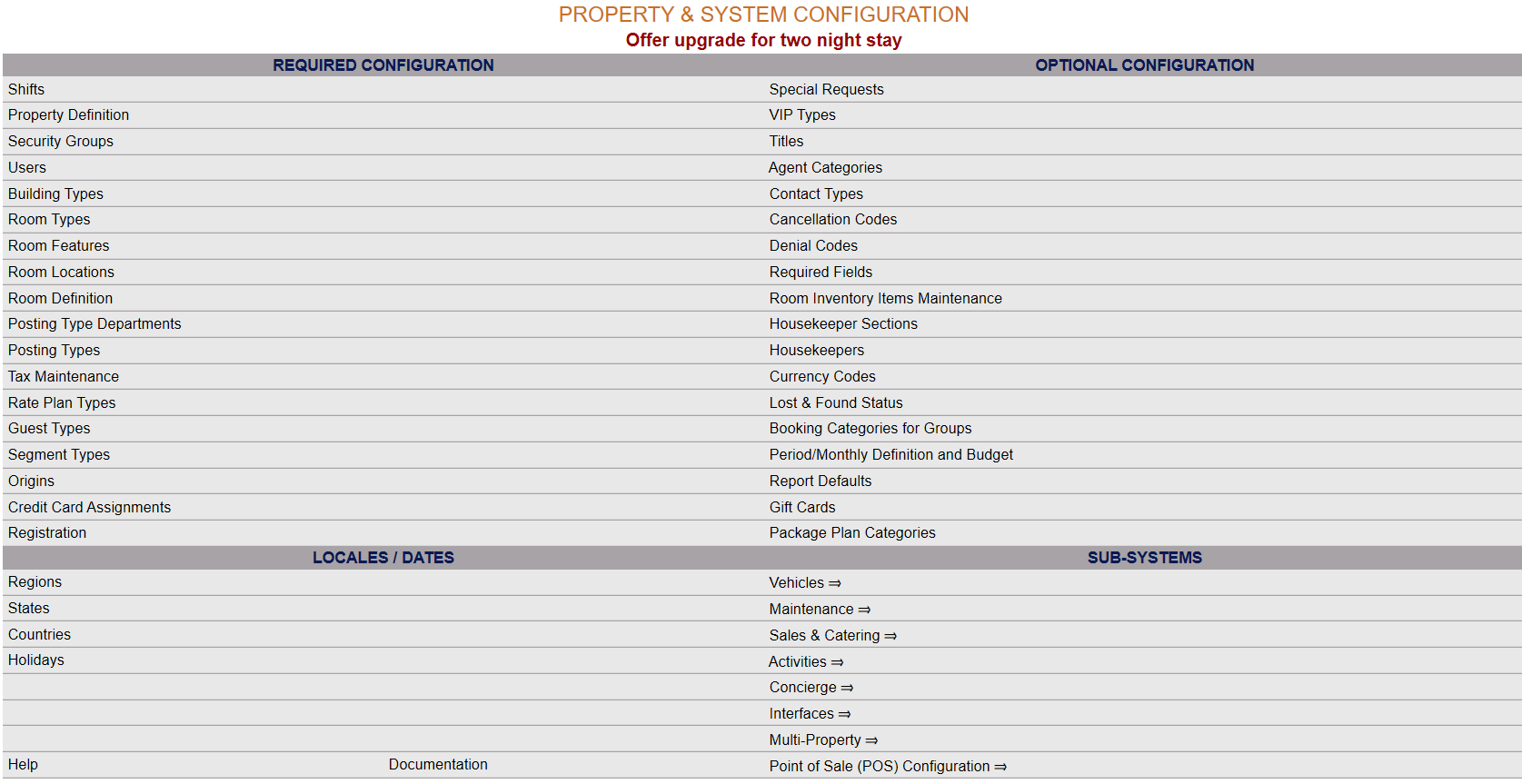
The Manager's Command screen menu has two sections, Manager's Configuration and Manager's Maintenance. Select Configuration => from the Managers Configuration section to be taken to the Property and System Configuration screen. The list of property configuration options are divided into four sections, which are Required Configuration, Optional Configuration, Locales/Dates and Sub-Systems.
 OR
OR 
(Alternately, you may also be able to select Configuration => directly from the Quick Menu, if the menu has been set up to include the Configuration option).
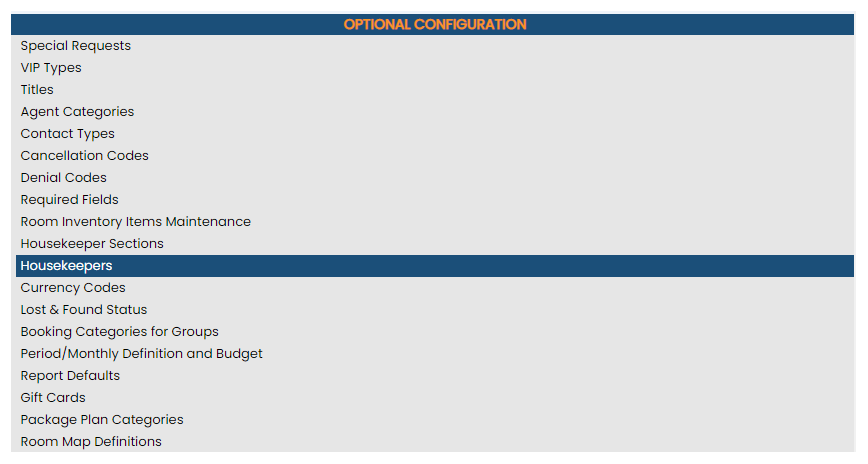
Select Housekeepers from the Optional Configuration section.
 OR
OR 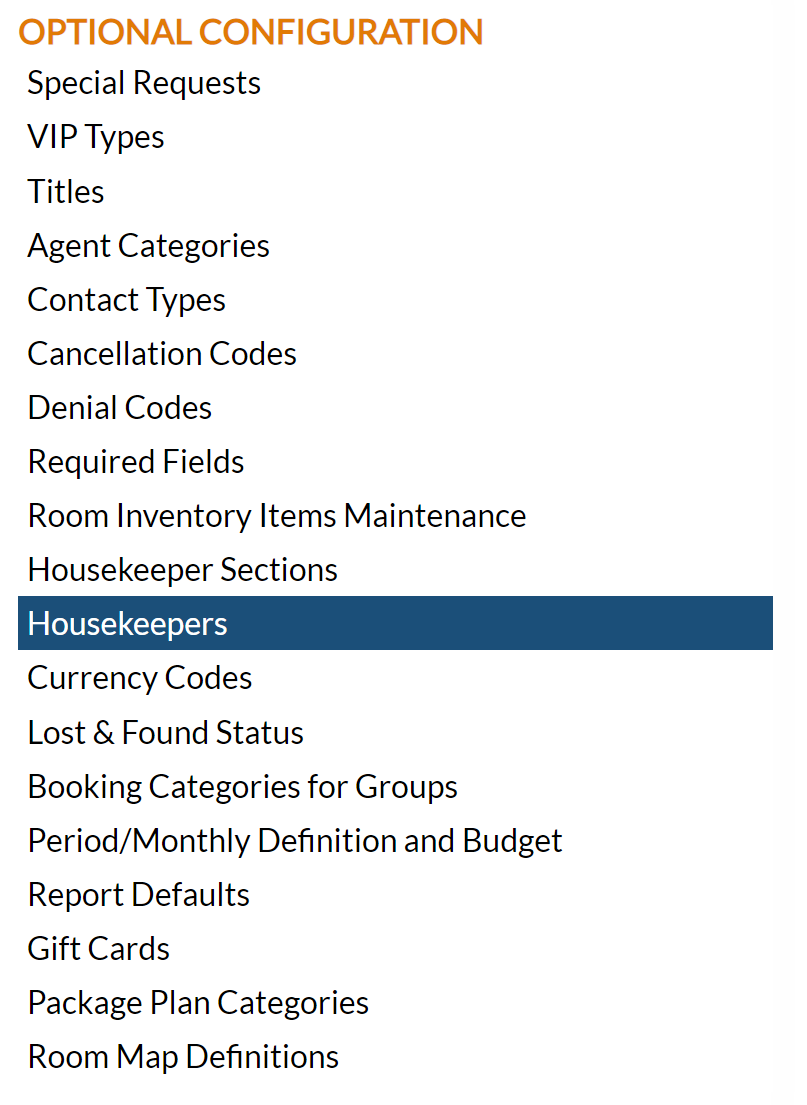
The Housekeepers Maintenance screen display is split into two frames, with the left side of the screen listing any already configured housekeepers for the Property and the right side containing the fields you need to complete in order to add or edit a housekeeper for your Property. Any changes made on the right, once saved, will be updated in the listings to the left.
Note: The Housekeepers screen is a derivative of the Users screen. All housekeepers entered into Skyware will ALSO be viewable on the Users Maintenance screen.
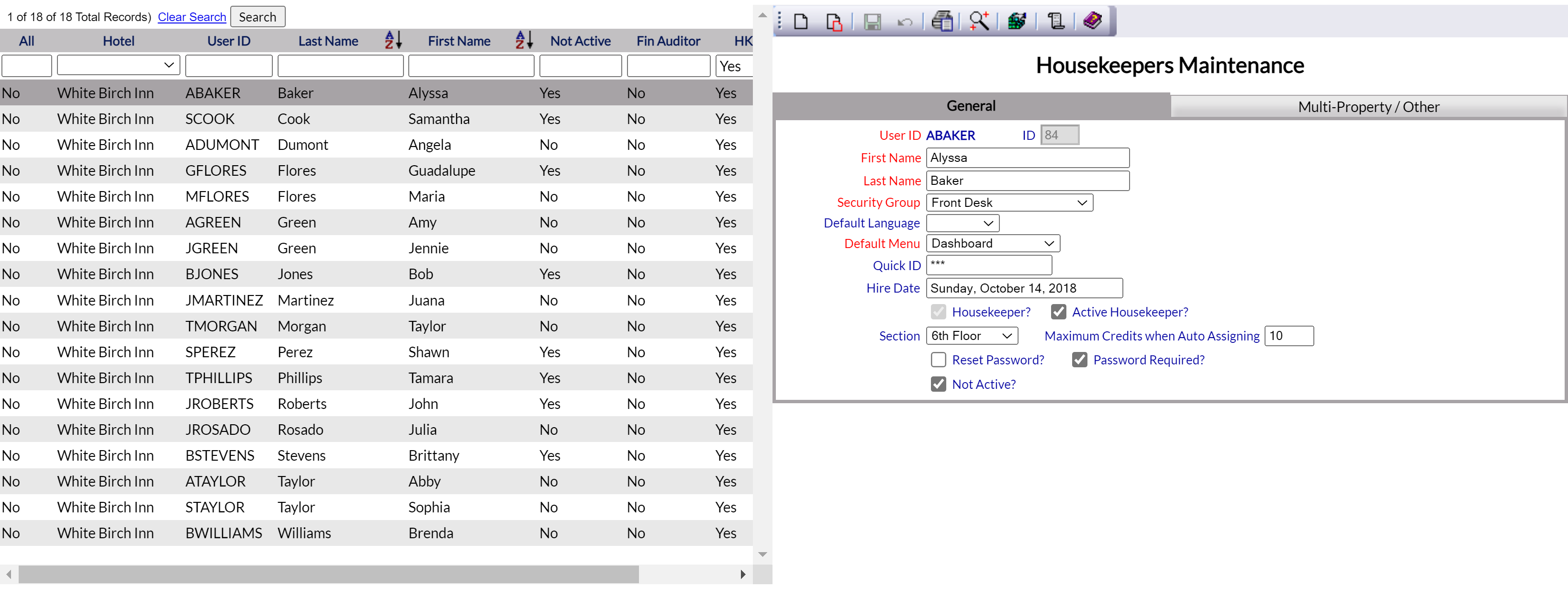
The currently configured options are displayed by:
All: This will be Yes or No. If you are a multi-property Interface user of Skyware Systems, this refers to if the housekeeper in question is considered a housekeeper at all possible properties or one property only.
Hotel: This is the name of the property. If you are a multi-property Interface user of Skyware Systems, the default hotel the User is associated with will be listed here.
Note: These first two columns will only be displayed if you are part of a multi-property interface user of Skyware.
User ID: The code used to identify the individual housekeeper.
Last Name: Last name of the housekeeper. By default, entries are displayed alphabetically using last name.
First Name: First name of the housekeeper.
Not Active: This will be Yes or No. This refers to if the housekeeper is currently ALSO classed as a User within the Skyware system (and therefore has access to use Skyware).
Fin. Auditor: This will be Yes or No. This refers to if this User is entered into the system as a financial night auditor.
HK: This will be Yes or No. This refers to if this User is entered into the system as a housekeeper.
Note: If a User is not designated as a housekeeper within Skyware, the entry will NOT appear in the list of housekeepers shown on this screen.
Active HK: This will be Yes or No. This refers to if this User, entered into the system as a housekeeper, is employed/working (active) or not (in-active).
Selecting any housekeeper on the left will display the details on the right.
Your options include the following:
Generate a new entry:
Click the New  button from the toolbar to add a new housekeeper.
Complete the fields described below.
OR:
Select an existing Housekeeper from the list on the left, and click the Replicate  button from the toolbar. Then change the field information as described below.
Edit the current selection:
Change the field information described below.
The Users Maintenance Screen has two tabs, with the General tab being displayed by default. Normally, a new housekeeper will not be logging in to the Skyware system, so the Multi-Property/Other tab will not be needed (as this deals with where the User account may access Skyware from). To add a housekeeper, all the information you need to enter is on the on General tab.
On the General tab:
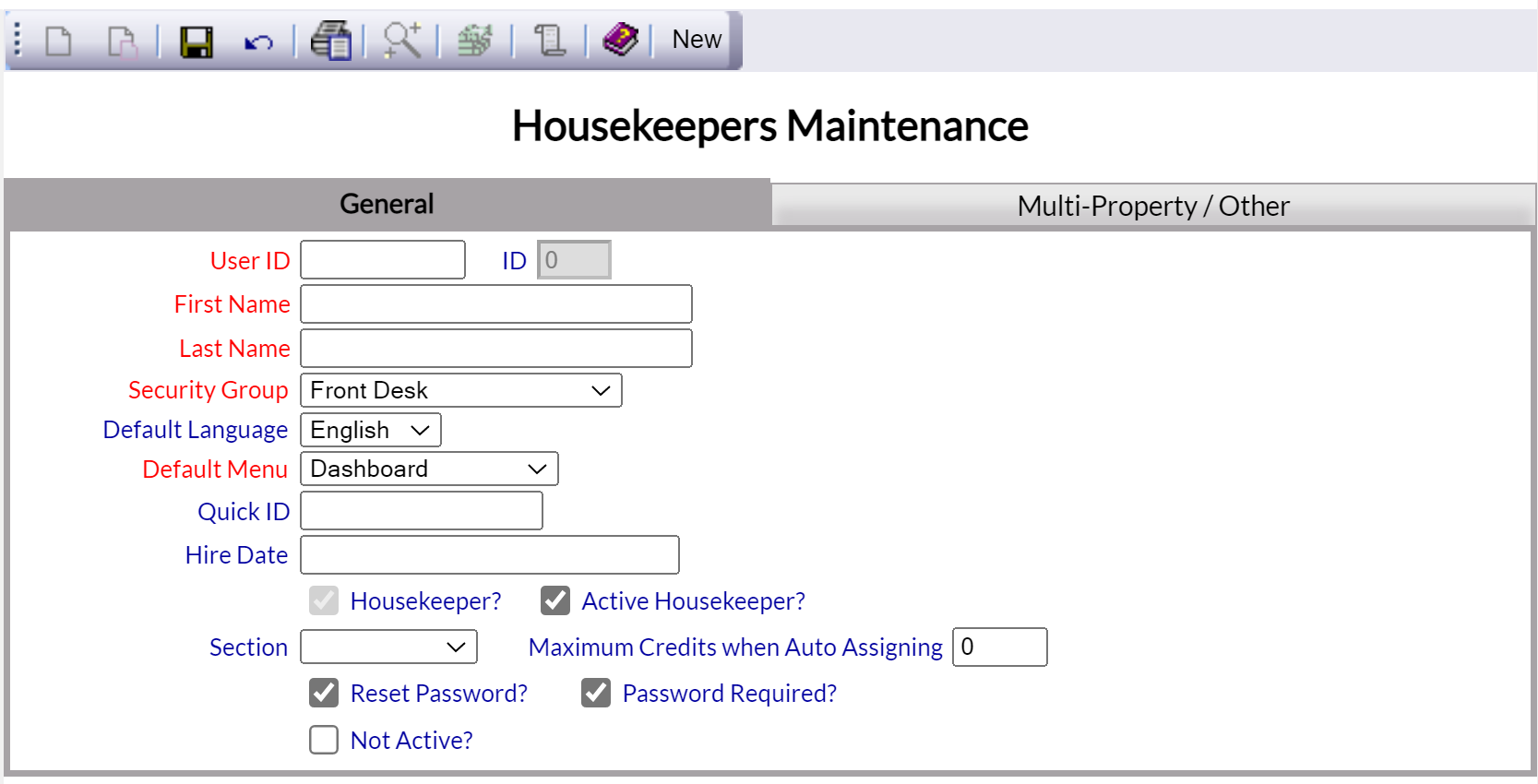
Note: Some fields on this tab may not be relevant to a housekeeper account if the housekeeper will not be logging in to the main Skyware system, but are described here as they appear on the tab.
User ID: This is a unique ID assigned to the individual User. It may be up to 10 characters long, alphanumeric only. Type in the desired ID.
This field is required.
ID: This is for Internal use by Skyware Systems, and cannot be changed.
First Name: Enter the first name of the housekeeper.
This field is required.
Last Name: Enter the last name of the housekeeper.
This field is required.
Security Group: This is the security group you wish to have the User assigned to. Select the correct security group from the drop-down menu of available options. If the correct option is not available, please see Security Groups for help in configuring it. In this case, the security group selected should be Housekeeping.
This field is required.
Default Language: This is the language that Skyware Systems will be displayed in for the User. Select the default language for the user interface from the drop-down menu of available options.
This field is optional, by default it will be English.
Default Menu: This is the Menu screen that will be displayed as the landing page after the User's log-in. Select the option desired from the drop-down menu. By default it will be dashboard.
This field is required.
Quick ID: This is a code to identify the housekeeper for the Housekeepers Dashboard. This is NOT the User ID. This may be up to 10 characters long, and is not case sensitive.
This field is optional, but IS required to use the Housekeepers Dashboard. Each housekeeper using the dashboard must have their own unique Quick ID assigned.
Hire Date: Click within the field to open the calendar option to allow you to select the correct date of hiring for this housekeeper. This field is optional but recommended.
Housekeeper?: This check box must be checked for the account to be considered a housekeeper account. If you are creating a housekeeper account using the Housekeeper Maintenance screen, by default the check box is both checked and grayed out, meaning that ONLY housekeeper accounts may be generated on this screen. (If you wish to generate a separate User account for your executive housekeeper you will need to use the User maintenance screen to do so).
Active Housekeeper: This check box must be checked for the housekeeper to be listed as active (and therefore available/working at your Property). By default, a new housekeeper account is assumed to be for an active account so the check box is checked for you. (In-active housekeepers cannot be assigned rooms on the Housekeepers Room Assignments screen).
Section: This is a drop-down menu of available options. If your Property utilizes Housekeeper Sections, you may select a section for this housekeeper to be associated with from the drop-down list.
Maximum Credits when Auto Assigning: (Equivalent to Shift Points) If your Property is using the shift points method to assign rooms to housekeepers via credits, enter the number of credits to be allocated to this housekeeper. (This may be useful if your Property has a wide range of rooms - the actual amount of work depends on the size of the room and the number of beds, thus a large room with multiple beds may be designated as being worth more credits to clean than a small single room. Using the shift points method means that if the housekeepers are designated a certain number of credits to clean per shift, rather than a certain number of rooms, the workload may be distributed more evenly). By default the value entered in this field is 0. This means NO room credits may be assigned to the housekeeper AUTOMATICALLY. To use the auto assign feature, housekeepers must have a number of credits entered greater than 0.
Reset Password: This box may be checked or unchecked. By default for a new housekeeper account it is checked, meaning the first time they log in they will be prompted to enter a password. Subsequently, by default it is unchecked.
Password Required: This box may be checked or unchecked. By default it is checked, requiring the housekeeper to supply a password at log in. (For security, Password Required should ALWAYS be checked).
Note: By default BOTH (Reset Password and Password required) of these are CHECKED when adding a NEW user. For the Reset Password, it will become unchecked once the staff member has logged into the system and set up a password. Checking it after that initial log in will allow the staff member to create a new password the next time they log in into the system.
Not Active: This box may be checked or unchecked. By default for a new housekeeper account it is unchecked, but in general for a housekeeper this box SHOULD BE CHECKED. Checking this box means the account is entered into the system but the account holder cannot use Skyware - if you do not wish your housekeepers to be able to use Skyware directly this box should be checked. For an executive housekeeper, this box may remain unchecked if you do not wish them to have to access Skyware using a separate User account.
Note: If a housekeeper account is NOT new, it will AUTOMATICALLY be assigned as not active, meaning the housekeeper cannot log into Skyware.
It is up to the property to decide if housekeepers can interact directly with the Skyware System via a log in and password, or not.
Note: The required fields must have been completed on the general tab before an account can be saved.
On the Multi-Property / Other tab:
Note: This tab is only relevant if your Housekeeper account is also designated as a User account. Normally, a new housekeeper will not be logging in to the Skyware system, so the Multi-Property/Other tab will not be needed (as this deals with where the User account may access Skyware from).
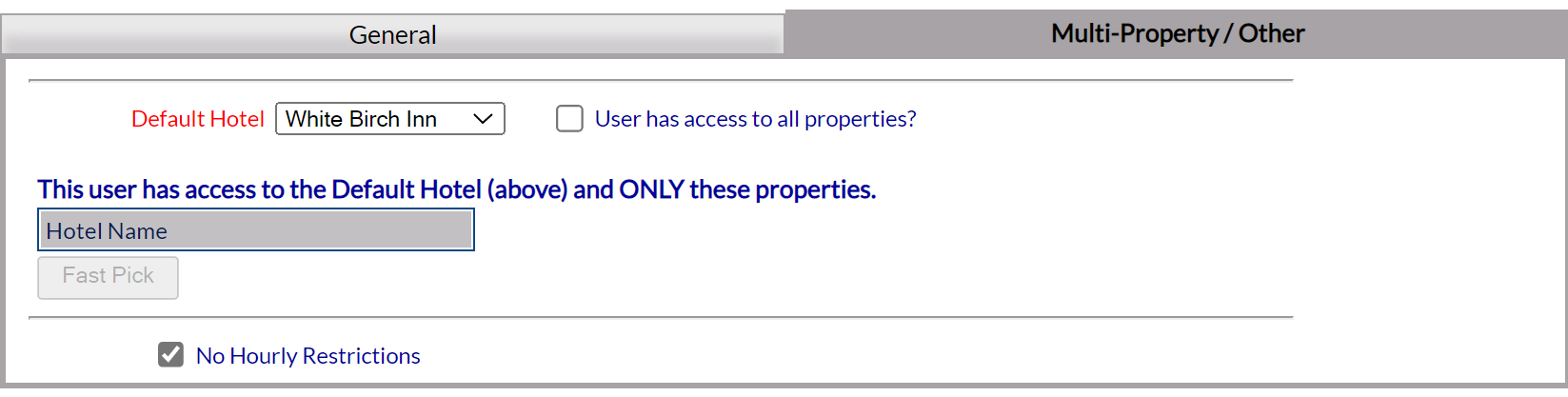
Default Hotel: This is a drop-down menu of the available Properties in your Skyware system. Select the hotel which the housekeeper should default to.
This field is required.
User has access to all properties?: This box may be checked or unchecked. By default it is unchecked. Check this box to allow the User to access all properties on your Skyware system.
Note: These two options will only be displayed if you are part of a multi-property interface user of Skyware.
This user has access to the Default Hotel (above) and ONLY these properties: If the user does NOT have access to all your properties with Skyware, use the Fast Pick button to view and select the properties (other than the property selected as their default property) that the user has access to.
Note: If the User has access to all properties? check box is selected, the screen will immediately refresh and no longer display the Fast Pick option for selecting individual properties.

No Hourly Restrictions: This check box must be checked for the User to be allowed access to Skyware any time of the day or night. By default it is checked. If you do NOT want this User to have unlimited access to Skyware (i.e. to have specific timed log in restrictions), un-check this option.

De-selecting this option will immediately refresh the screen with additional hourly and day option fields.
Choose the days of the week the User will have access to Skyware during the set log in hours.

Start: Start of hourly restrictions. Select the hour (1-12), minute (in 15 minute increments) and choose AM or PM. The User will have access to Skyware beginning at this time.
End: End of hourly restrictions. Select the hour (1-12), minute (in 15 minute increments) and choose AM or PM. The User's access to Skyware will end at this time.
Note: If you set overnight hours for the User access, it will begin on the earliest day and continue into the next day (for example, if you set access starting at 11 pm and ending at 7 am and check access allowed on Saturday only, the user will have access beginning at 11 pm on Saturday thru to 7 am on Sunday morning. If you set access as Saturday AND Sunday, the access will still begin at 11 pm on Saturday but will now go thru to 7 am on Monday).
Please be aware, de-selecting the No Hourly Restriction option, but not setting any options in the Start, End or Days fields will mean that this User does NOT have access to Skyware at any time. This should only be done if you wish to temporarily suspend the User's access, without inactivating the account (not recommended).
When you are finished adding or editing any housekeepers, click the Save  button to save the changes.