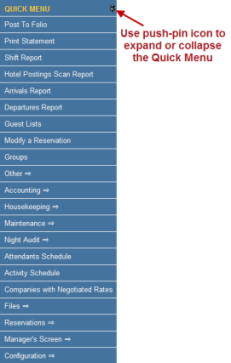
The Quick Menu, located on the left side of the Skyware screen, provides easy access to frequently used Skyware features such as reservations, check in, and reports.
Click the push-pin icon to expand or collapse the Quick Menu as needed.
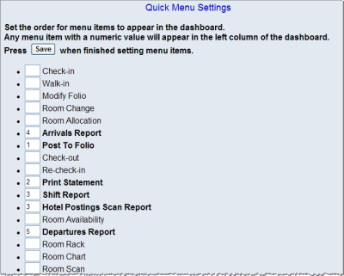
Managers can customize the Quick Menu to set up the options users need most frequently, in the order they wish to see them.
To modify the options listed in the Quick Menu: