 To generate a POS Shift Report:
Open the POS Shift Report screen:
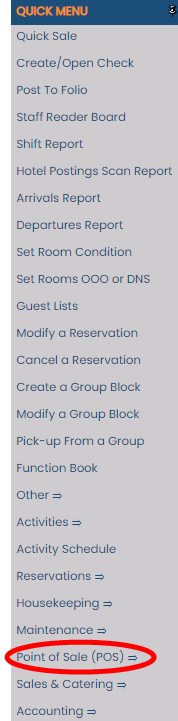
The POS Shift Report command is found on the Point Of Sale Menu. The POS Menu may be set as your default landing page. If it is not, you may open it by using the Quick Menu , or by selecting the command Point of Sale (POS) => from the Other section of the Full Menu.

OR:
2. Select Point of Sale (POS) => from the Other section of the Full Menu.
Click the icon on the left or the breadcrumb words on the top right for the Full menu.
 OR
OR 
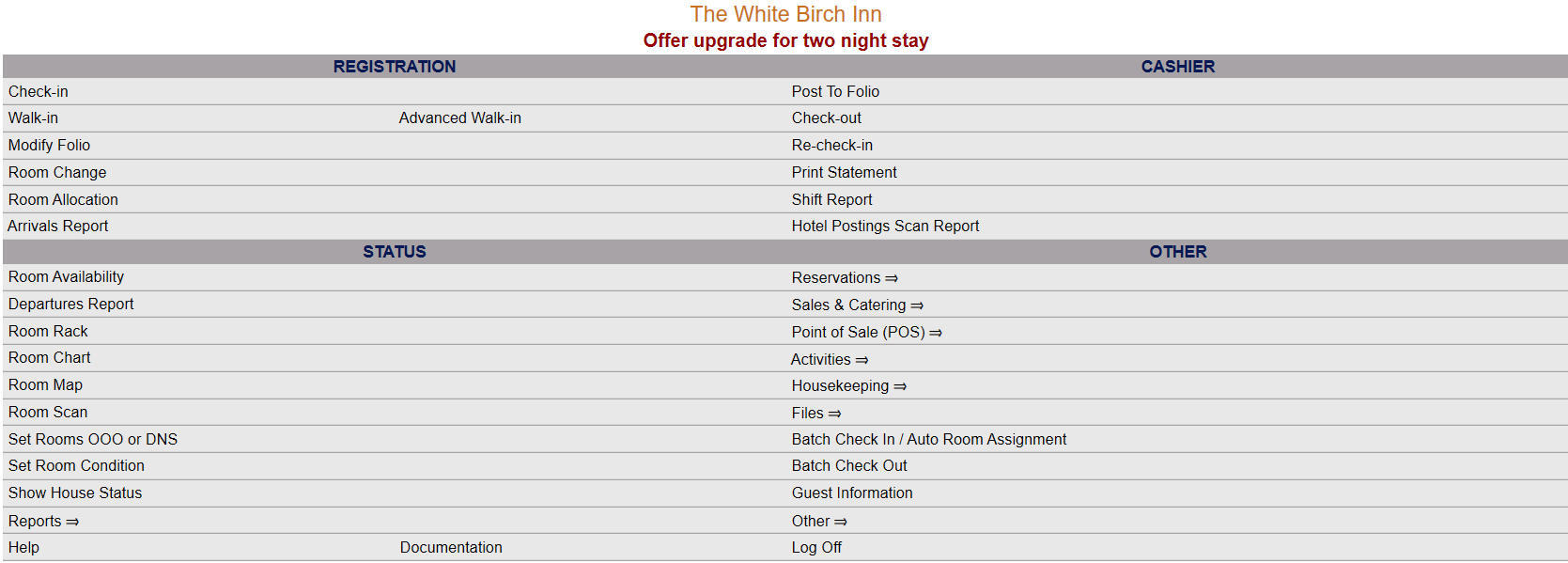
This will display the Full menu in a tabular form, with four sections, Registration, Status, Cashier and Other.
 OR
OR 
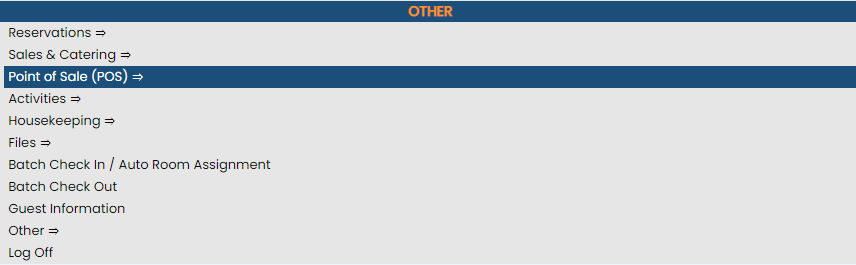
Select Point of Sale (POS) => from the Other section.
 OR
OR 
This will display the POS Main Menu, which has four sections, Checks, Reports, Kitchens and Other; however the Other Category does not currently contain any commands.
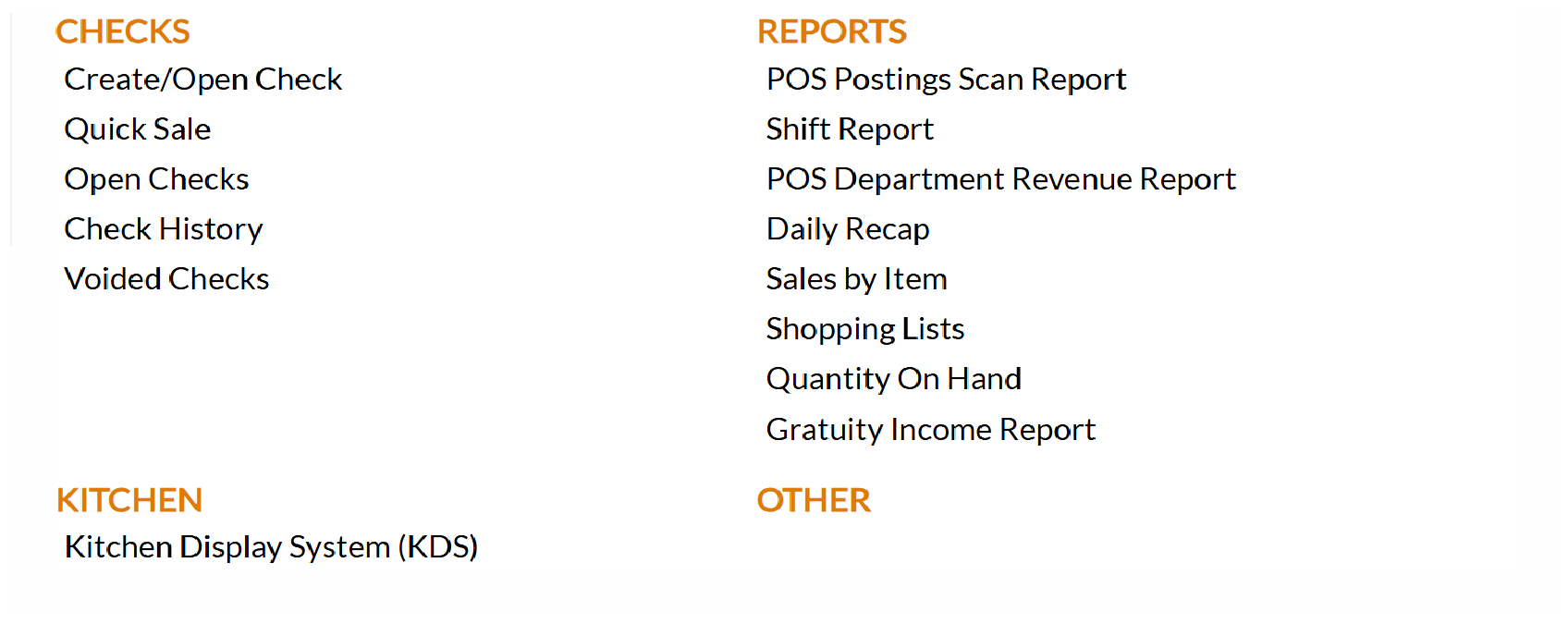
The Shift Report command is in the Reports section.
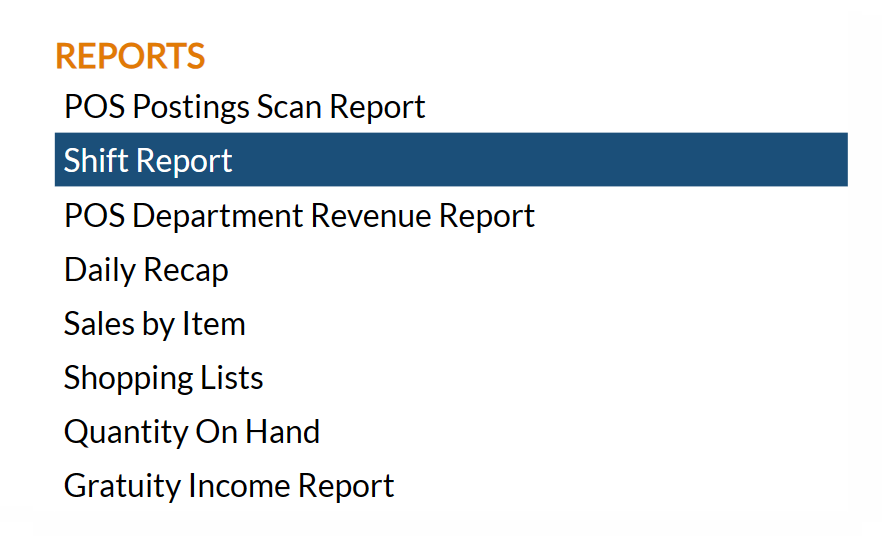
When selected, the POS Shift Report screen will open.
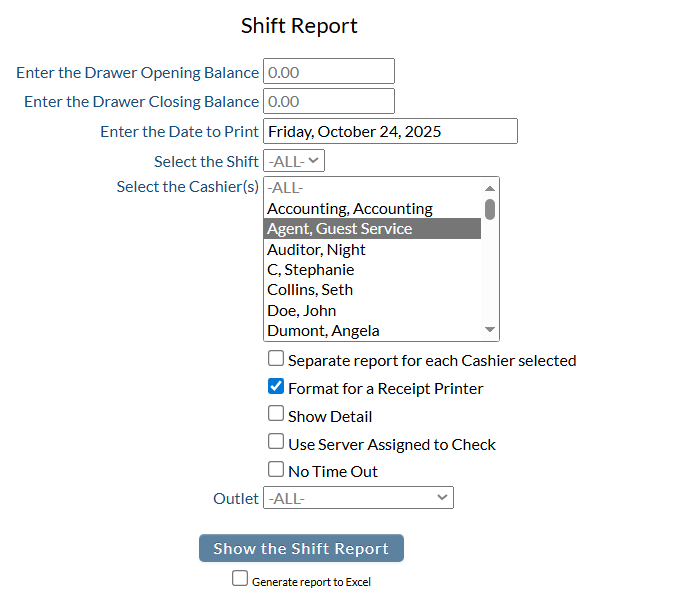
Enter the Drawer Opening Balance: The default amount is 0.00 Fill in the correct amount.
Enter the Drawer Closing Balance: Again, the default amount is 0.00 Fill in the correct amount.
Enter the Date to Print: By default today's date is entered. Click on the field to open a calendar where you can select the desired date.
Select the Shift: A drop-down menu of all available Shift options, configured to your specific property. By default it is set at -ALL-. Select the desired shift from the list.
Select the Cashier(s): A list of all available cashiers to generate the report for. You can choose -ALL- or select specific cashier(s). To select multiple names, simply hold the control (Ctrl) button down whilst making your selection.
Separate Report for each Cashier Selected: By default this check box is unchecked. Select this option if you wish the report to be generated as multiple reports as opposed to one for each selected cashier.
Format for a Receipt Printer: By default this check box is checked. When this option is checked, the report defaults to the receipt printer.
Note: If this option is unchecked, the following four options will become unavailable:
Show Detail: By default this check box is unchecked. If selected, Show Detail will show all payments separately for each check.
Use Server assigned to Check: By default this check box is unchecked. This option when selected allows you to specify that the report uses the server assigned to the check - Default is Cashier, but MAY be different people.
No Time Out: By default this check box is unchecked.
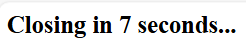
If it is left unchecked: When the "Show the Shift Report" button is clicked, a new tab will open. A message reading "Closing in...." will appear, beginning at 7 seconds and counting down to zero.
A Print PDF window will also appear, allowing you to print the POS Shift Report.
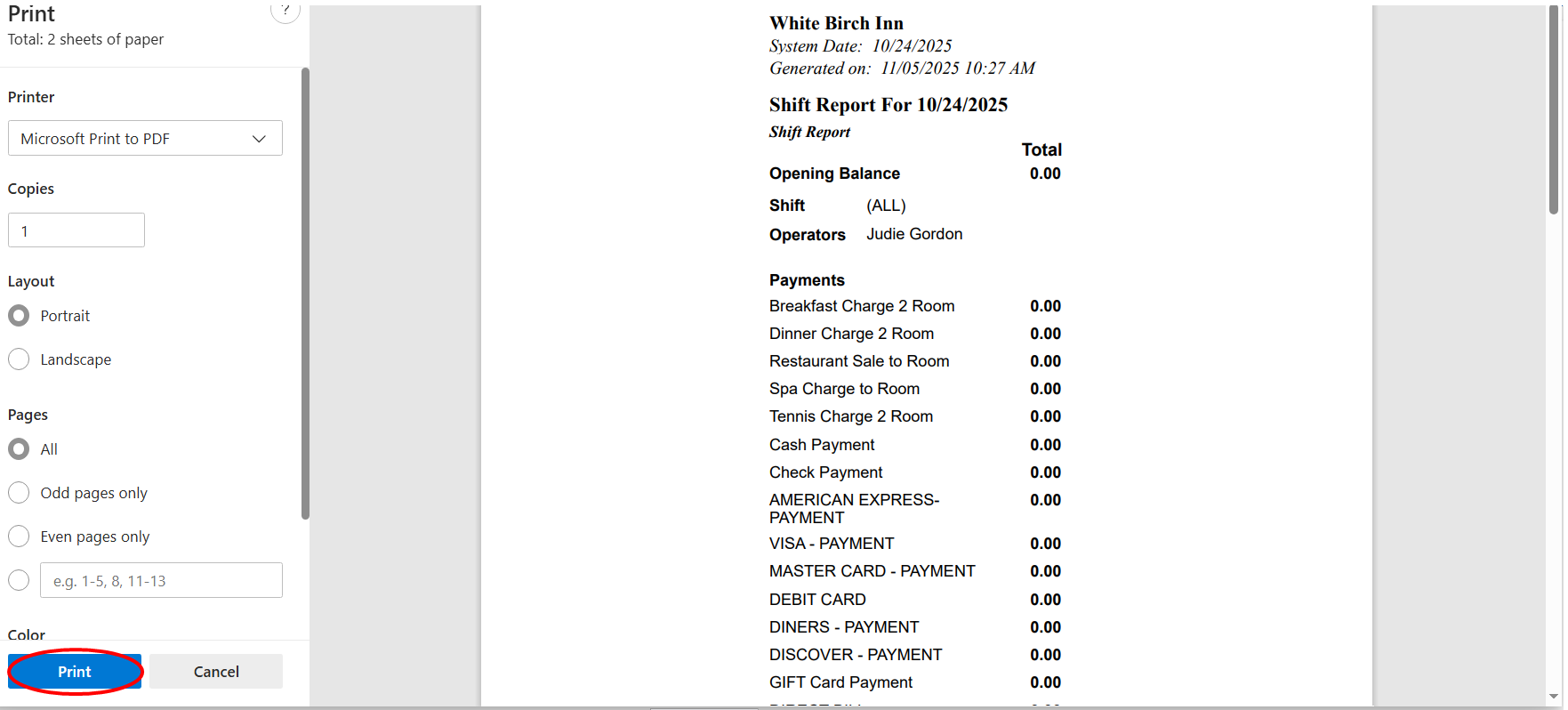
Note: This window will only appear while the countdown is ongoing. Once the countdown has ended, the new tab and the print window will close and return you to the POS Shift Report screen. You must press the print button BEFORE the 7 seconds has elapsed to print the generated POS Shift Report.
(This is the same when using the Shift Report button on the Point of Sale Restaurant Log In screen).
If the No Time Out box is checked: When the "Show the Shift Report" button is clicked, a new tab will open displaying the generated the report (as is usual for Skyware reports). The report tab will NOT close automatically.
Outlet: This option allow you to select the outlet that the report is generated for, and is a drop-down menu of all configured Outlet options available. You can choose -ALL- or select specific outlet. Only one choice can be selected.
Once the desired options are selected, click the Show Shift Report button.
The report shows the selections made for shift and operator(s), a payments made section (with a totals section broken down into cash and check), a refunds section, the net cash to deposit section, gratuity section, a discounts section and a credit card section detailing which cards were used and for how much.

The bottom of the report shows a grand totals section and a summary section, with the number of covers, number of checks, number of voids, the cash tips total, the net sales and the alcohol sales what the closing balance should be, based on the drawer opening balance entered into the Point of Sale (POS) Shift Report screen.

Any open checks are listed below this section, with the check number and balance shown.
If you prefer, you can select the Generate report to Excel check box for exporting the report to Microsoft Excel format instead of PDF.
Note on Open Checks:
Open Checks are listed at the bottom of the report.
Previously, if there were open checks with balances associated with any of the specific cashiers selected for the report, instead of generating the report, Skyware would show a pop up message stating that "Checks are not closed and/or balanced! Unable to run the shift report. Close the checks or move them to another server", and take you to the Open Checks screen.
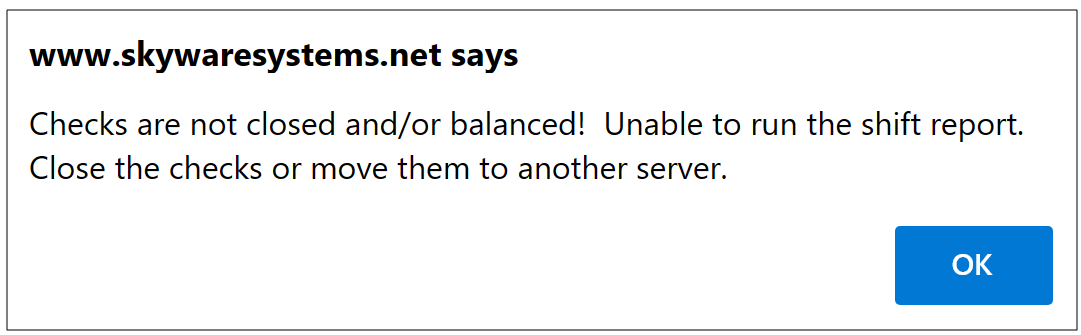
Once you click the OK button on the pop up message you will be able to view and adjust the open checks as necessary to allow you to generate the desired POS Shift Report.
Now, ALL Open Checks are presented at the bottom of the generated report, with the balance due listed.